
Your Desk Has Been Neglected All Summer. Labor Day Is Your Chance To Fix It
Be honest about the state of your desk right now. There's probably a tangle of cables you've been stepping over for months, a stack of papers you keep meaning to file, and a monitor setup that was "temporary" back in March. Summer schedules make it easy to let the workspace slide since everyone's a little more relaxed and a little less in the office. But Labor Day weekend gives you something rare: an extra day off with no real obligations, right before the pace of work picks back up for fall. That combination makes it the ideal window to stop tolerating a messy setup and actually fix it. This isn't about a full home office renovation. It's about a focused few hours that make the next three months easier to work in.
Start With the Cables, Because They're the Root of the Chaos
Most desk clutter traces back to cables. Chargers, monitor cords, dock connectors, and random cables from devices you don't even use anymore all pile up and make the desk feel disorganized, even when everything else is fine. This is the fastest win of the whole refresh because it takes almost no time and makes an immediate visual difference.
A Vertebrae Cable Management Kit (DESK-AC01C) mounted along the back or underside of your desk gives every cord a dedicated channel instead of a floor pile. If you want something even lower profile, a Magnetic Cable Management Channel (DESK-AC01-1MB) sticks discreetly to the leg of the desk and keeps cords from sliding around every time you move. For anyone who wants the desk to look completely clean from every angle, a Desk Skirt (DESK-SKIRT-24) hides the whole mess behind a fabric panel, which is especially useful if your desk sits in a shared living space or faces a window.
Fix the Monitor Setup You've Been Putting Off
If you've been working off a single laptop screen or a monitor propped on a stack of books, this is the weekend to change that. Screen setup affects posture, eye strain, and how efficiently you move through tasks, and it's one of those things that feels minor until you upgrade it and realize how much friction it was creating.
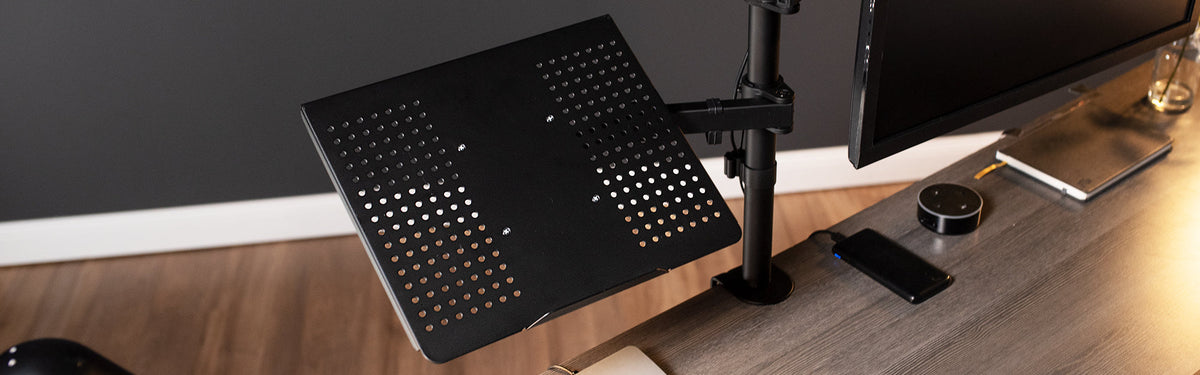
For a single external display, the Single Monitor Desk Mount (STAND-V001) frees up desk space and lets you adjust height and angle instead of squinting at a fixed position. If your work involves comparing documents, referencing data while writing, or juggling multiple apps, a Dual Monitor Desk Mount (STAND-V002) turns one cramped screen into a real multitasking setup. And if you're someone who splits time between a laptop and an external display, the Single Monitor and Laptop Desk Mount (STAND-V002C) keeps both at eye level without a second setup taking up extra room.
Reclaim Your Desk Surface With Better Storage
A refresh isn't complete if your desk surface is still buried under supplies, files, and random items that don't have a home. The goal here is to get things off the surface and into a system, so your desk actually functions as a workspace instead of a storage shelf.
An Under Desk Drawer (DESK-AC03B) is one of the easiest additions here because it mounts underneath the desk and adds storage without taking up any additional footprint. If you deal with sensitive documents or shared workspace, the Lockable Under Desk Drawer (DESK-AC03L-B) adds security without sacrificing convenience. For anyone dealing with visibility issues, whether from a shared office or an open floor plan, a Clamp-on/Screw-on Desk Privacy Panel (PP-1-V024G) creates a defined workspace boundary and cuts down on visual distractions from neighboring desks or spaces in your home office.
Consider Whether Your Desk Itself Needs an Upgrade
Sometimes the real issue isn't what's on the desk, it's the desk. If you've been sitting in the same position for eight hours a day since January, Labor Day is a good checkpoint to ask whether your setup is actually supporting you or just something you’ve got used to.
A Standing Desk Converter (DESK-V028S) sits on top of your existing desk and lets you switch between sitting and standing throughout the day without buying an entirely new desk. It's a lower-commitment way to test whether a standing option improves your focus or comfort before making a bigger investment. Pairing it with an Adjustable Foot Rest (STAND-FT01) gives your lower body some added support during longer stretches at the desk.
Make It a System, Not a One-Time Cleanup
The point of doing this over Labor Day weekend instead of a random Tuesday is that you have the time to actually think through a system, not just shove things into drawers. Once the cables are managed, the monitor is positioned correctly, and storage has a defined purpose, maintaining that setup takes almost no effort going into Q4. You're not fighting your workspace anymore; you're working from one that's built to keep up with a busier season.
Take the extra day this Labor Day and treat your desk like it matters, because the next few months are going to ask a lot of it.


Share:
Upgrade Your Setup Without Blowing Your Budget: The Best Desk Accessories Under $50
Finding Your Perfect Monitor Setup: A Guide to Mounts and Stands for Every Space